

If you are a lawyer and want more clients to find your law firm online, one of the most important things you can do is claim and verify your Google Business Profile.
When someone searches for:
- “Criminal defense lawyer near me”
- “Divorce lawyer in [city]”
- “DUI attorney near me”
Google often shows a map with local law firms at the top of the results. These listings come from Google Business Profiles.
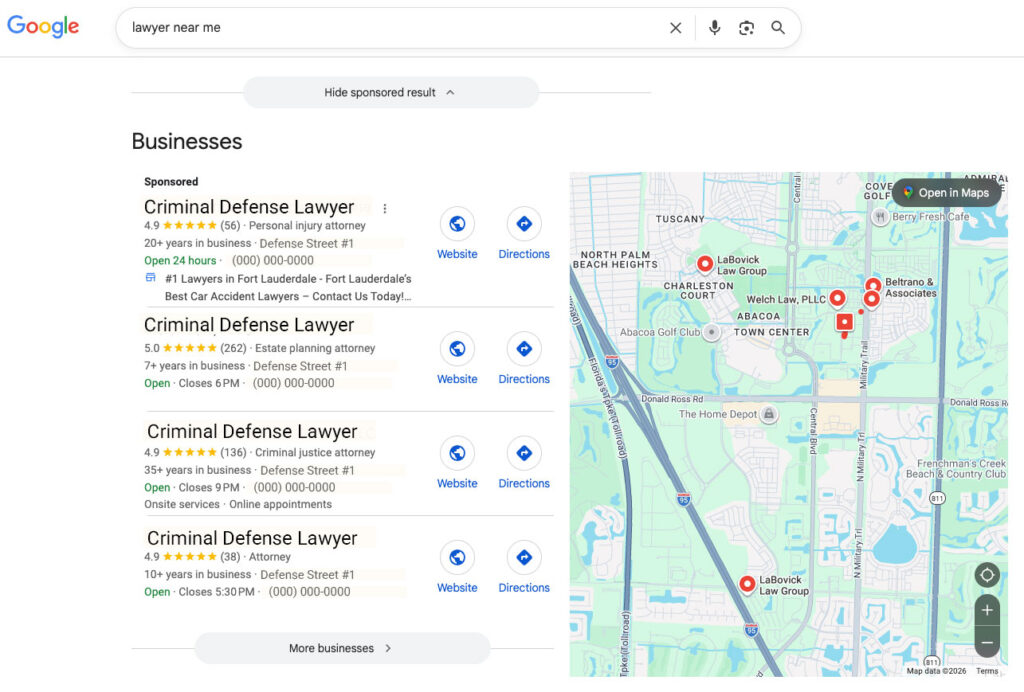
If you haven’t claimed yours yet, your firm may be missing valuable local clients.
This guide explains how lawyers can claim and verify their Google Business Profile using Google’s current video verification process.
Step 1: Go to Google Business Profile
Visit:
https://www.google.com/business
Click “Start Now.”
Sign in with your Google account (Gmail or Google Workspace).
Step 2: Search for Your Law Firm
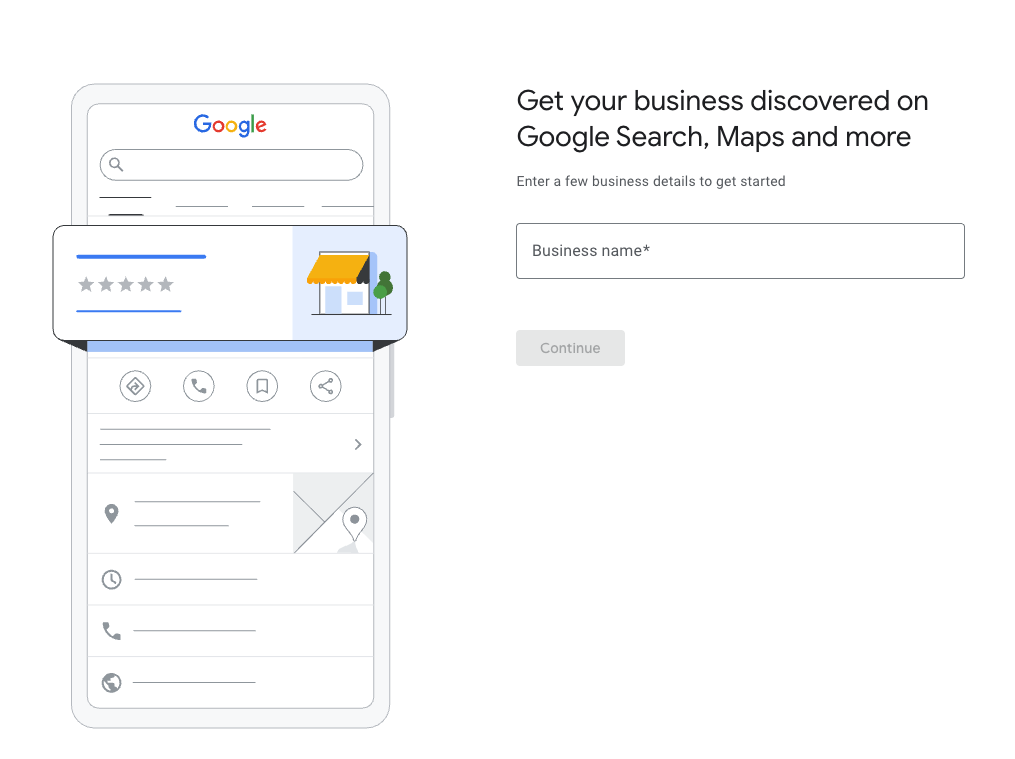
Type your law firm name.
You will see one of two things.
Your firm already exists
Click “Claim this business” or “Own this business?”
Your firm does not exist
Click “Create a business with this name”
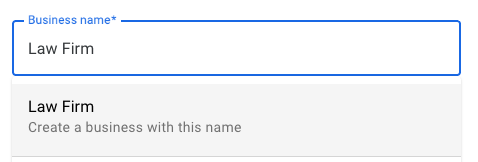
Step 3: Enter Your Law Firm Information
Google will ask for basic information about your law firm.
Business Name
Use your official law firm name.
Business Category
Examples:
- Criminal Justice Attorney
- Divorce Lawyer
- Personal Injury Attorney
- Family Law Attorney
Office Address
Enter the address where your law office is located.
Phone Number
Website
Step 4: Start the Video Verification Process
After entering your business details, Google will ask you to verify your business using a short video recording.
The video typically needs to show three things:
1. Your Location
Show the outside of your office building.
Examples:
- Street sign
- Building entrance
- Office signage
This proves the business is located where you say it is.
2. Your Business Signage
Show signs that identify your law firm.
Examples:
- Office door sign
- Lobby directory listing
- Building directory
- Law firm logo
3. Proof You Manage the Business
Show something that proves you control the business.
Examples:
- Unlocking your office door
- Accessing your office computer
- Showing business cards or legal documents
- Showing the inside of your office
Step 5: Upload the Verification Video
Google will guide you through recording the video directly from your phone.
The video is usually 30 seconds to 2 minutes long.
After uploading the video, Google reviews it to confirm your business.
Verification normally takes a few minutes to a few days.
Step 6: Optimize Your Law Firm Listing
Once your profile is verified, complete your listing. There are many optimizations you can do including add photos, business hours, description and more. Law Firm Marketing Experts have 15 plus years of experience helping lawyers and law firms, including family and criminal defense law firms getting this done so you have maximum exposure. Schedule a call with us today.